
Introduction
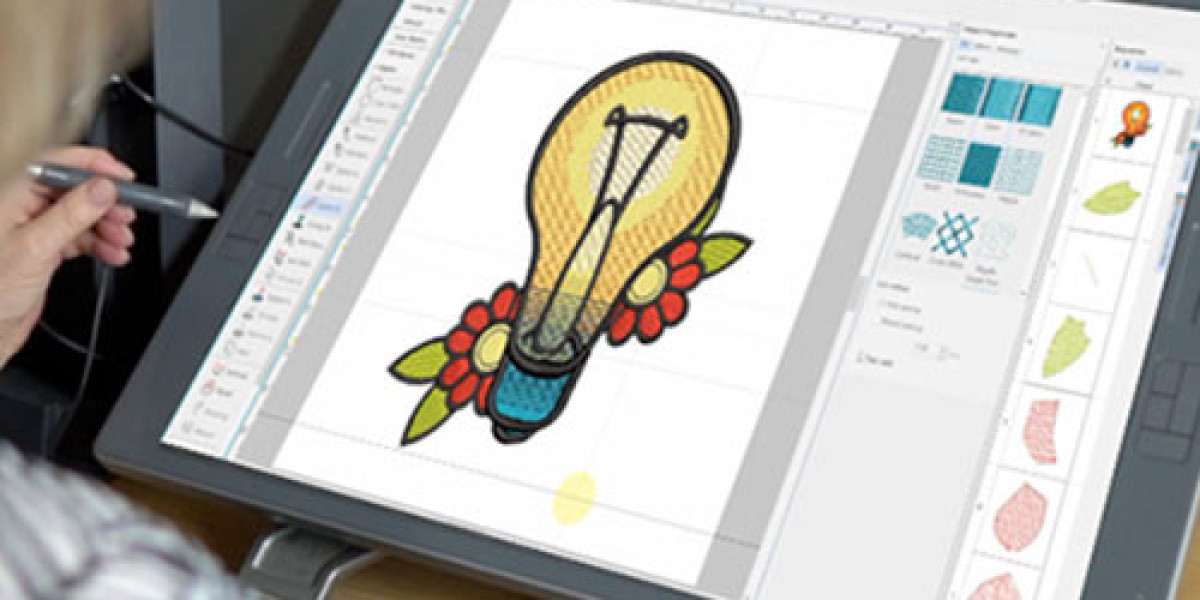
You've found the perfect embroidery design online, downloaded it, and... your machine says it can't read the file. This common frustration stems from one core issue: the embroidery file format. Just like a computer needs a specific program to open a DOCX or PDF, your embroidery machine requires a specific format to understand the stitch instructions. With dozens of formats, each tied to different machine brands, it can feel like navigating a digital alphabet soup. Understanding these formats isn't just technical jargon—it's the key to a smooth, frustration-free embroidery workflow. This guide will demystify the most popular formats, explaining what they are, which machines they belong to, and, most importantly, how they actually work to command your machine's every move. By the end, you'll confidently speak the language of stitches.
What is an Embroidery File Format, Really?
An embroidery file format is much more than a container for a picture. Think of it as a specialized recipe or a set of blueprints. Your JPG image is a photo of a finished cake. The embroidery file (like .PES or .DST) is the detailed recipe card that lists every ingredient, measurement, and step needed to bake it.
Technically, these formats are sets of codes that contain:
Stitch Coordinates: The exact X and Y position for every single needle penetration.
Stitch Types & Commands: Instructions for the type of stitch (jump, trim, satin, fill) and its length.
Color Sequence: The order for thread changes, often using specific brand color codes.
Machine Instructions: Commands for hooping, thread tension adjustments, and even machine speed.
Each brand's format is its proprietary language, optimized for its specific hardware. While some machines can read multiple formats, they almost always have one "native" tongue they prefer.
The Universal Workhorse: DST (Tajima)
If there's one format you should know, it's DST. Created by Tajima, one of the pioneers of commercial embroidery machines, DST has become the near-universal standard, especially in professional settings.
How It Works: A DST file is a lean, efficient set of pure stitch data. It focuses on the essential commands—needle positions, trims, and jumps—with minimal extra frills. This makes it incredibly reliable and widely compatible.
Primary Machine Users: Virtually all multi-needle industrial machines (Tajima, Barudan, Happy, ZSK) and many commercial single-head machines. It's the default format for sending designs to an embroidery shop.
Key Trait: It's a "final" stitch file. While editable with specialized software, it's primarily designed for production, not for easy on-screen editing. Think of it as the compiled, ready-to-run program.
The Brother Ecosystem: PES (and the PEC Family)
For the vast world of home and small business embroiderers using Brother, Baby Lock, and some other brands, the PES format is king.
How It Works: The PES file contains the core stitch data but also often includes additional metadata like a preview image, color palette, and sometimes even editable object information (in the related .PEC format used by Brother software). This makes it slightly more user-friendly for viewing and basic editing on compatible devices.
Primary Machine Users: Brother and Baby Lock embroidery machines. Variations like .PES, .PEC, .PEC+.PEL are all part of this family, with different versions for different machine generations.
Key Trait: It's the native, optimized format for the world's most popular home embroidery machine brand. If you have a Brother, you'll be looking for .PES files.
The Janome Language: JEF & SEW
Janome machines use their own set of formats, with JEF being the primary stitch file and SEW being a common alternative for some models and software.
How It Works: Similar to PES, JEF files contain stitch data, color information, and often include a design preview. They are engineered to take advantage of Janome's specific machine functions and hoop sizes.
Primary Machine Users: Janome embroidery machines.
Key Trait: For Janome owners, securing a design in .JEF format ensures the smoothest performance and easiest use directly from USB.
The Melco/Bernina Standard: EXP
In the world of high-end home and commercial machines from brands like Melco and Bernina, EXP is the expected format.
How It Works: The EXP format is a robust instruction set that can include extensive machine commands, detailed color information, and design parameters tailored for these precise machines.
Primary Machine Users: Melco and Bernina embroidery machines.
Key Trait: It's the hallmark of these specific, often advanced, machine ecosystems. Designs digitized directly for EXP often yield excellent results on this hardware.
The Viking/Husqvarna Blueprint: VP3 & HUS
Viking and Husqvarna machines operate on their own set of formats, with VP3 being the most common for modern machines and HUS being an older, related format.
How It Works: These are comprehensive project files that can contain not just final stitches but also editable elements, thread lists, and layout information, especially when created within their native software (like Premier+).
Primary Machine Users: Viking and Husqvarna embroidery machines.
Key Trait: They are deeply integrated into the brand's software and machine interface, offering a cohesive workflow from design to stitch.
The Specialized Project Files: PXF, CSD, OFM
These formats aren't typically for the machine itself but for the design software. They are project files that contain editable objects, not just final stitches.
PXF (Brother PE-Design): This is a working project file. It holds editable lettering, separate design elements, and sequencing. You work in .PXF and then export a final .PES file for your machine.
CSD (Singer CompuColor) / OFM (Janome): Similar software-specific project formats.
How They Work: They are like the layered Photoshop (PSD) file of embroidery. They preserve your ability to edit everything. The machine cannot read them; you must "export" or "save as" a stitch format (like .PES or .JEF) from within the software.
How to Navigate This World: A Practical Guide
Know Your Machine's Native Format: Check your manual. It is almost always .PES for Brother, .JEF for Janome, .EXP for Melco/Bernina, .VP3 for Viking, and .DST for most commercial machines.
When Downloading Designs: Look for sites that offer your specific format, or universal formats like .DST that your machine might also read. Many good sites offer multiple format packs.
When Sharing or Sending Out: If sending a design to be stitched by someone else, provide a .DST file. It's the commercial lingua franca.
Conversion is Possible (But Careful): You can convert between formats using specialized software (like BuzzTools, Embrilliance) or online services. However, be aware that automatic conversion can sometimes introduce errors, especially with complex designs or color blending. The best stitch file is one originally digitized and saved in your machine's native format.
The Future: Is One Universal Format Coming?
While .DST is the de facto professional standard, a true universal home format is unlikely. Machine brands use their formats as part of their ecosystem, encouraging brand loyalty and optimized performance. The trend is toward machines becoming more multilingual, with many mid-range and high-end models now able to read 5-10 different formats, making life easier for the consumer.
Conclusion
Understanding the embroidery file format is the first step to taking control of your craft. It's the crucial link in the chain that turns a digital idea into physical stitches. By knowing that your Brother thrives on .PES, your Janome on .JEF, and that .DST is the universal key for professionals, you remove a major source of confusion and error. Don't let file extensions intimidate you. See them for what they are: specialized instructions tailored to make your specific machine sing. Arm yourself with this knowledge, double-check your machine's manual, and you'll spend less time troubleshooting errors and more time watching your perfect designs come to life, one precise stitch at a time.